
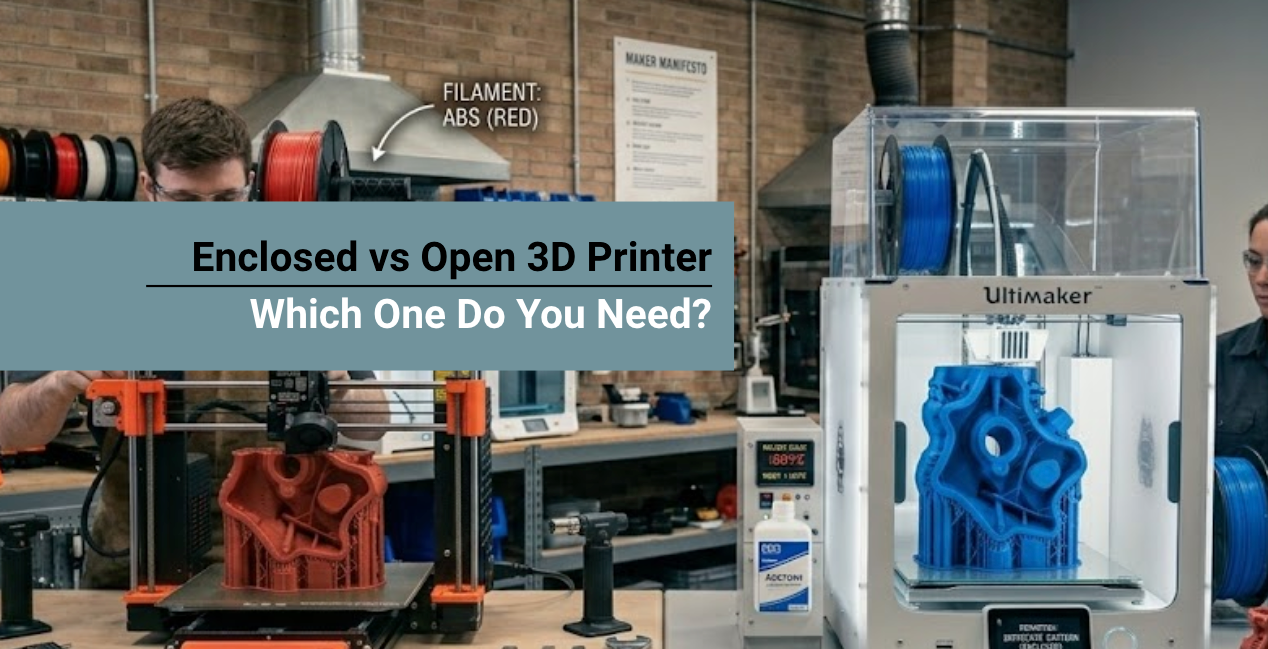
Choosing between an enclosed and an open 3D printer is a critical decision that determines which materials you can successfully print.
This architectural difference directly impacts workspace safety, temperature control, and final part quality. Open-frame printers offer maximum airflow and accessibility, making them ideal for beginners using standard filaments.
Conversely, enclosed machines provide the strict thermal stability required for engineering-grade materials and professional resin printing.
In this guide, we break down these crucial differences to help you select the ultimate setup for your specific fabrication goals.
What is an Open-Frame 3D Printer?

An open-frame 3D printer exposes its mechanical gantry, print bed, and hot end completely to the surrounding room air.
This open design is the industry standard for entry-level Fused Deposition Modeling (FDM) machines.
- Rapid Cooling: The fully exposed print bed allows cooling fans to draw in vast amounts of room-temperature air. This instant cooling prevents sagging on complex overhangs.
- Maximum Accessibility: Open printers are highly accessible for tinkering and maintenance. You have unobstructed, 360-degree access to clear clogged nozzles or tighten belts.
- Cost-Effective Manufacturing: By eliminating acrylic panels, hinges, and exhaust fans, open-frame systems are significantly cheaper to build and purchase.
What is an Enclosed 3D Printer?

An enclosed 3D printer houses its entire build volume inside a rigid cabinet, typically featuring transparent acrylic doors for observation.
Instead of maximizing airflow, its primary function is to trap the heat generated by the print bed.
- Thermal Stability: The enclosure acts like a greenhouse, preventing room drafts from causing thermal shock to the hot plastic.
- Acoustic Dampening: The physical walls act as a sound barrier, significantly muffling the high-pitched whine of stepper motors and cooling fans.
- Safety Barriers: For classrooms or homes with pets, enclosures prevent accidental contact with 250°C nozzles and fast-moving mechanical parts.
Factor 1: Material Compatibility

The single most important factor in your decision is the material you intend to print. Certain plastics physically cannot print in an open environment, while others perform worse inside a hot enclosure.
Open-Frame Champions (PLA, PETG, TPU)
If you print desktop miniatures or flexible phone cases, an open-frame printer is ideal. Materials like Polylactic Acid (PLA) and Thermoplastic Polyurethane (TPU) require aggressive cooling to maintain sharp details.
Inside a hot enclosure, PLA stays too soft, which causes drooping bridges and muddy details.
Enclosed Necessities (ABS, ASA, Nylon)
Engineering-grade parts that withstand severe mechanical stress require an enclosure. ABS and ASA shrink significantly as they cool.
In an open environment, uneven cooling causes internal stress, leading to severe warping or delamination.
A heated chamber keeps the entire print warm so the layers fuse perfectly without shrinking.
| Feature Comparison | Enclosed 3D Printer Architecture | Open-Frame 3D Printer Architecture |
|---|---|---|
| Primary Advantage | Absolute temperature and environmental control | Unrestricted physical access and rapid part cooling |
| Best Materials | ABS, ASA, PC, Nylon, High-Temp Resins | PLA, PETG, TPU (Flexible Filaments) |
| Warping Resistance | Extremely High (prevents thermal shock) | Low (highly susceptible to room drafts) |
| Safety & Fumes | Contains VOCs; provides a physical barrier | Fumes spread freely; moving parts remain exposed |
| Price Point | Premium investment ($500 - $2,000+) | Budget-friendly entry point ($150 - $400) |
Factor 2: Fumes, Odors, and Workspace Safety
Melting plastics and curing liquid photopolymers release odors, microplastics, and Volatile Organic Compounds (VOCs) into the air.
- Ventilation Needs: An open-frame printer is perfectly acceptable for a dedicated, well-ventilated garage. However, enclosed systems are highly recommended for bedrooms or multi-use offices.
- Active Filtration: Many high-end enclosures feature built-in HEPA and activated carbon filters that actively scrub the air before releasing it into the room.
- Resin Safety: SLA/LCD resin printing demands an enclosure. Cleaning solvents and liquid resins require proper ventilation. An enclosed UV cover protects the resin from ambient sunlight while containing chemical odors.
- Biocompatible Alternatives: If you are restricted to an open-frame setup but need advanced mechanical strength, consider using Siraya Tech Blu Tough Resin. It provides incredible durability and carries an ISO 10993-10 biocompatibility certification, making it safer for skin-contact applications.
Factor 3: Temperature Stability for Resin Printing
Environmental control is equally critical for resin (SLA/DLP) users. Liquid UV resin is highly sensitive to ambient room temperatures.
- Viscosity Control: Cold resin becomes highly viscous and thick. This high-viscosity fluid struggles to flow back under the build plate between layers, causing severe delamination and print failures.
- Optimal Conditions: You must maintain a stable room temperature between 20–25°C for optimal fluid dynamics. An enclosed resin printer paired with a miniature chamber heater ensures the liquid stays at the perfect viscosity regardless of winter drafts.
Can You Enclose an Open 3D Printer?
Yes. You do not need to buy a brand-new machine to print engineering-grade plastics. Upgrading an open 3D printer with an aftermarket enclosure is one of the most cost-effective modifications for hobbyists.
Common enclosure options:
- Photography tents. These inexpensive zip-up fabric tents are often lined with reflective Mylar. They trap heat passively and help maintain a more stable temperature, but they usually offer limited visibility and durability.
- Acrylic enclosure kits. Pre-cut clear acrylic panels can be mounted to the printer’s aluminum frame. They provide a cleaner, more permanent enclosure while still allowing you to see the print clearly.
- DIY cabinets. Many makers build a simple enclosure using wood panels or modify furniture such as IKEA cabinets. This is a popular and budget-friendly weekend project.
| Material Type | Required Environment | Ideal Chamber Temp | Primary Application |
|---|---|---|---|
| PLA | Open / Highly Ventilated | Room Temp (Cool) | Desktop models, prototypes |
| PETG | Open or Vented Enclosure | Room Temp | Water-resistant mechanical parts |
| ABS | Strictly Enclosed | 50°C – 65°C | High-impact and durable tooling |
| ASA | Strictly Enclosed | 50°C – 65°C | UV-resistant outdoor parts (brackets, guards) |
Recommended Materials for Your Enclosed Setup
Once your enclosure is ready, starting with premium raw materials is essential. Poor-quality filaments will fail even in a perfectly heated chamber.
If you want to produce rugged, impact-resistant, and high-temperature parts, explore the Siraya Tech ABS Plastic Filament Collection. Our Fibreheart ABS-GF (Glass Fiber) and standard ABS lines offer supreme dimensional stability.
Printed inside a 50–65°C enclosure, these materials lay down flawlessly without warping, yielding functional parts that rival professional injection molding.
Debating which heavy-duty filament to load into your new enclosure? Read our detailed technical breakdown on ASA vs ABS: Which Filament is Better?
to understand how UV resistance and heat deflection dictate your material choices.
Enclosed vs Open 3D Printer: Which One Should You Choose?
The right choice depends on your printing goals.
Choose an open 3D printer if:
- You mostly print PLA or PETG
- You want a budget-friendly machine
- You prefer easy upgrades and repairs
Choose an enclosed 3D printer if:
- You plan to print ABS, Nylon, or Polycarbonate
- You need consistent prints with fewer warping issues
- You want a cleaner and safer printing setup
✅ Simple rule: If you mainly print PLA, an open printer is usually enough.
If you want to print engineering-grade plastics, an enclosure becomes very helpful.
Conclusion
The enclosed vs open 3D printer debate has no universal winner; your choice depends entirely on your specific manufacturing needs, budget, and workspace environment.
If you produce PLA miniatures and flexible TPU gadgets in a well-ventilated space, an open-frame printer provides unbeatable value and accessibility.
However, if your goal is to reliably print high-strength engineering plastics like ABS, or if you share a workspace with children and pets, the thermal stability and fume control of an enclosed 3D printer make it an indispensable investment.
Shop UV Resins & FDM Filaments
Explore More

FAQs About Enclosed vs Open 3D Printer
Do I need an enclosure to print ABS?
Yes, an enclosure is virtually mandatory for printing ABS. ABS shrinks significantly as it cools. If printed in an open room, fluctuating ambient temperatures cause the plastic to warp, curl off the build plate, and delaminate. An enclosure maintains a stable 50–65°C environment that allows the print to cool slowly and evenly.
Can I print PLA in an enclosed 3D printer?
Yes, but you must make environmental adjustments. PLA requires rapid cooling to maintain sharp details and prevent stringing. Inside a sealed enclosure, the air becomes too hot to cool the freshly extruded plastic, resulting in deformed prints. To print PLA safely in an enclosed machine, simply open the doors or remove the top lid to allow ambient air to circulate.
Are enclosed 3D printers safer for indoors?
Yes, enclosed 3D printers are significantly safer for shared indoor environments. The physical walls prevent accidental burns from 250°C hot ends and protect users from moving belts. Furthermore, enclosures help trap hazardous volatile organic compounds (VOCs) and microplastics, which can then be filtered through HEPA systems or vented outside.
Does an enclosure make a 3D printer quieter?
Yes, acoustic dampening is one of the major secondary benefits of an enclosed 3D printer. The rigid acrylic or metal walls act as a sound barrier, significantly muffling the high-pitched whine of stepper motors and the constant whirring of cooling fans. This makes enclosed printers ideal for home offices or bedrooms.
Can I add an enclosure to an open 3D printer later?
Absolutely. Upgrading an open-frame printer with an aftermarket or DIY enclosure is incredibly common and cost-effective. You can purchase photography tents, custom acrylic kits, or build a wooden cabinet. However, you must ensure your electronic motherboard and power supply are relocated outside the hot chamber to prevent overheating damage.