
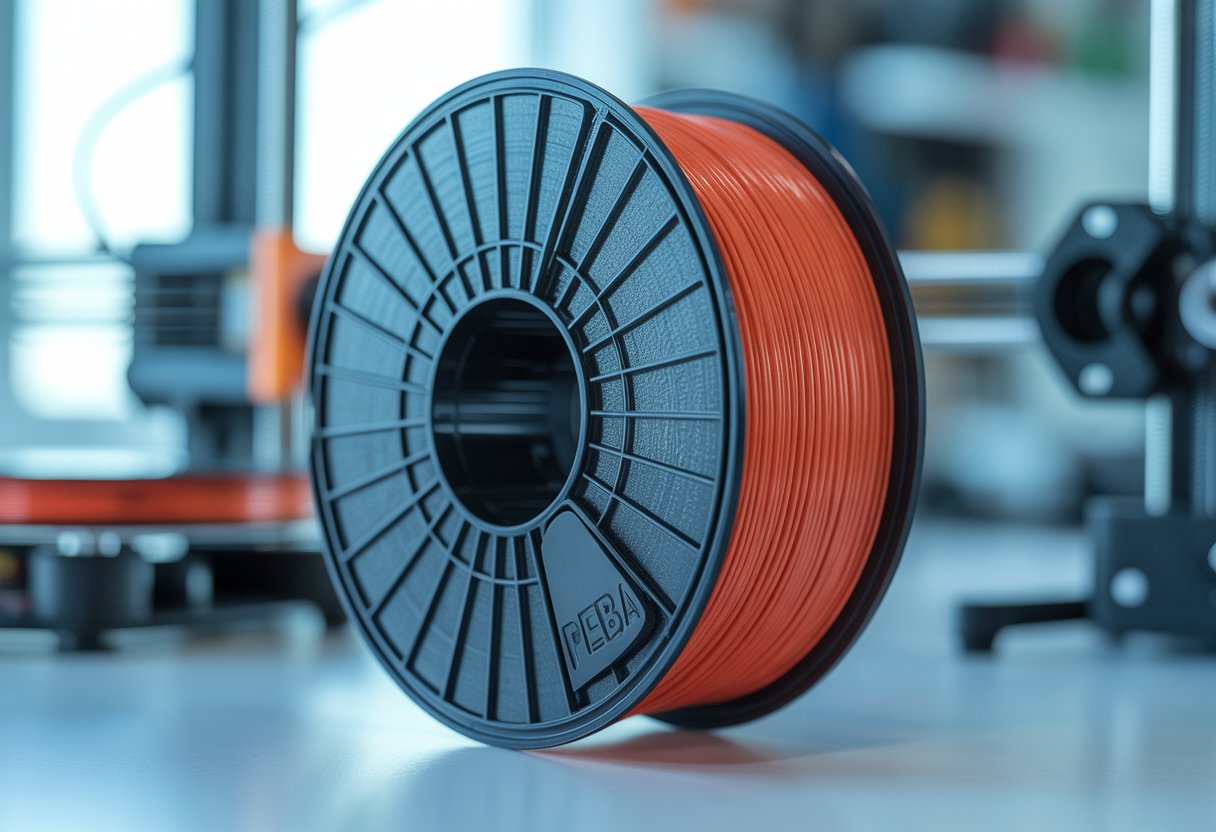
PEBA filament is a flexible 3D printing material that bounces back better than TPU and weighs less. It gives you 78% energy return, so it springs back to shape well after you squeeze or bend it. PEBA is 20% lighter than TPU and prints up to two times faster, making it great for sports gear, phone cases, and bendy robot parts.
This material is tough to print with if you're just starting out. PEBA needs a direct-drive printer and you have to dry it before printing. But once you get the hang of it, you can make strong, flexible parts that last longer than regular TPU prints.
Want to know which PEBA filament works best for your projects? Read on to find out which brands give you the best bounce, strength, and print quality for your money.
Key Takeaways
- PEBA filament offers better bounce and lighter weight than TPU for flexible 3D printing projects
- You need a direct-drive printer and must dry the filament before use for best results
- PEBA works great for sports equipment, wearable items, and parts that need to flex without breaking
Explore our high-performance flex TPU filament collection that bring your projects to life. Siraya Tech offers advanced filament solutions designed for durability, precision, and consistent results.
What Is PEBA Filament?

PEBA is a special type of plastic that works like super-flexible TPU but with better bounce and strength. It's made from building blocks that create a material lighter and more elastic than regular flexible filaments.
Polyether Block Amide Explained
PEBA stands for Polyether Block Amide. It's a type of plastic that combines flexibility with toughness in ways other materials can't match.
Think of PEBA as a step up from TPU filament. It bounces back to its original shape much better than regular flexible materials. This makes it perfect when you need parts that can bend over and over without wearing out.
The material stays flexible even in cold weather. It also resists chemicals better than most other flexible filaments you can buy.
PEBA weighs less than TPU while being stronger. This combo makes it great for sports gear, medical braces, and parts that need to move a lot without breaking.
Block Copolymer Structure
A block copolymer has different types of plastic pieces stuck together in chunks. PEBA uses soft polyether blocks and hard amide blocks to create its special properties.
The soft blocks give PEBA its stretchy, rubber-like feel. The hard blocks add strength and help the material keep its shape under stress.
These blocks work together like a team. When you pull or bend PEBA, the soft parts stretch while the hard parts hold everything together. This structure is why PEBA can handle more wear and tear than regular flexible filaments.
The way these blocks connect also helps PEBA stay tough across different temperatures. You get consistent performance whether your parts are hot or cold.
Flexible 3D Printing Material Basics
Flexible 3D printing materials let you make parts that bend, stretch, and compress. PEBA fits into this category as an advanced option.
Most people start with TPU when they want flexible prints. PEBA takes things further with better rebound and lighter weight. You can print hinges, dampeners, and wearable tech that perform better than TPU versions.
The trade-off is that PEBA is harder to print. You need more patience and the right printer settings to get good results. It also costs more than regular TPU filament.
PEBA works best when your project needs top performance. If you're making something that will bend thousands of times or needs to spring back fast, PEBA delivers results worth the extra effort.
Confused about filament sizing for flexible materials like PEBA? Get clarity by reading: What Is the Diameter of an Elastic Filament?
Key Features That Set PEBA Apart

PEBA filament stands out from regular flexible materials because it bounces back better, prints faster while staying light, and works in extreme conditions that would break down other flexible filaments.
Energy Return and Super Bounce
PEBA gives you up to 78% energy return, which means it springs back almost as much as you compress it. Think of it like a really good basketball that bounces high every time.
Regular TPU filaments only give you about 40-50% energy return. That's less than half of what PEBA can do. This makes PEBA work like a functional spring in your printed parts.
You can use this super bounce feature for things like shoe insoles, phone cases, and anything that needs to absorb impact. The material keeps its bouncy feel even after you use it many times. This is why people call it "Super TPU" - it does everything TPU does but better.
Weight and Print Speed Advantages
PEBA weighs less than TPU, which helps when you need to print larger objects. Lighter parts mean less stress on moving pieces like robot arms or drone parts.
You can also print faster with PEBA than with regular flexible materials. The material flows better through your printer's hot end, so you don't have to slow down as much. This saves you time on big projects.
The light weight also means your prints use less material overall. You get strong, flexible parts without adding extra bulk or weight to your final product.
Temperature and Chemical Resistance
PEBA works in temperatures from -40°C to +80°C without losing its flex or strength. This range covers everything from freezing winter conditions to hot summer days in a car.
Other flexible filaments get stiff in the cold or turn mushy in the heat. PEBA keeps working the same way no matter what. The material has a Shore hardness of 90A-92A, which gives you a good mix of flex and durability.
PEBA also stands up to chemicals, oils, and abrasion better than TPU. You can stretch it over 500% before it breaks, and it snaps right back to its original shape.
PEBA Filament vs. TPU and Other Flexible Filaments

PEBA filament bounces back better than TPU and handles cold temperatures without getting stiff. It costs more and takes more skill to print, but it wins when you need parts that bend thousands of times without breaking.
PEBA vs. Standard TPU
TPU is the go-to flexible filament for most 3D printing projects. It's easier to print and costs less than PEBA.
PEBA bounces back to its original shape much better than TPU. Think of a rubber ball versus a sponge. PEBA is the ball.
Standard TPU works fine for phone cases, grips, and simple flexible parts. But PEBA handles extreme conditions that make TPU fail. It stays flexible in freezing temperatures where TPU gets brittle and stiff.
Key Differences:
- Bounce and rebound: PEBA returns to shape faster and more completely
- Temperature range: PEBA works in much colder conditions
- Fatigue resistance: PEBA bends more times before wearing out
- Cost: TPU costs less per spool
- Printing difficulty: TPU is more forgiving for beginners
You'll need more patience with PEBA. It requires better hardware and more careful temperature control during printing.
Since PEBA compares directly to TPU, dive deeper into TPU's properties and applications by exploring our complete guide, What Is TPU Filament: An Easy Guide For Smart 3D Printing.
PEBA vs. Flexible Filament Alternatives
Beyond standard TPU, you have other flexible filament options. TPU comes in different hardness levels, marked as 85A or 95A. The lower the number, the softer and more flexible it is.
Some companies now make high-speed TPU that prints faster without failing. There's also TPU Air, which uses special technology to create parts with different densities in the same print.
PEBA beats these alternatives in strength and elasticity combined. Softer TPU (85A) is more flexible but tears easier. Harder TPU (95A) is tougher but doesn't bounce back as well. PEBA gives you both benefits in one material.
Lightweight TPU alternatives weigh less but don't match PEBA's chemical resistance or abrasion resistance. If your parts will rub against other surfaces or touch chemicals, PEBA lasts longer.
Use Cases That Highlight the Differences
Use regular TPU for phone cases, cable organizers, and protective bumpers. These projects don't need PEBA's special properties, and TPU will save you money.
Pick PEBA when you're making shoe insoles, athletic equipment padding, or parts that need to compress and bounce back thousands of times. The energy return makes a real difference in these applications.
Cold weather projects need PEBA. If your printed part will be outside in winter or in a freezer, TPU might crack or lose its flexibility. PEBA keeps working in temperatures that stop TPU cold.
Choose TPU for:
- Phone accessories
- Simple grips and handles
- One-time compression parts
- Learning flexible printing
Choose PEBA for:
- Footwear components
- Shock absorbers
- Repeated impact protection
- Extreme temperature use
When your flexible parts need extra toughness, check out our strong 3D printer filament collection that deliver impact resistance and long-term durability.
Applications for PEBA Filament
PEBA filament works best when you need parts that bounce back, resist impacts, and handle tough conditions. It shines in sports gear, flying robots, medical devices, and anything that needs to flex thousands of times without breaking.
Sports Gear and Wearables
You can print athletic equipment with PEBA that performs like store-bought gear. The material gives you up to 78% energy return, which means it bounces back almost as well as a real basketball or running shoe sole.
PEBA works great for custom insoles that cushion your feet while staying lightweight. You can also make protective padding for helmets or knee guards that absorb hits better than regular TPU prints.
Wearable tech cases benefit from PEBA's flexibility and toughness. The material bends with your body movements but won't crack or tear easily. It handles sweat and weather changes without losing its shape, making it perfect for fitness trackers or smartwatch bands that need to last.
Drones and Robotics
Your drone builds get better crash protection when you use PEBA filament for bumpers and landing gear. The material absorbs impact energy instead of shattering like hard plastics do.
Robot joints printed in PEBA can flex millions of times without wearing out. This makes your builds more reliable for long projects or competitions. The low weight of PEBA parts also helps drones fly longer on the same battery.
You can print gripper fingers that squeeze objects gently but firmly. PEBA's rubber-like feel gives robots better control when picking up different items. The material also dampens vibrations in moving parts, which keeps sensors and cameras steadier during operation.
When PEBA's flexibility meets your needs but you want even more toughness, check out our nylon filaments. They offer excellent strength, flexibility, and resistance to wear for industrial applications.
Medical and Orthopedic Prints
PEBA filament lets you create custom medical braces that fit your body exactly. These prints support injured joints while allowing natural movement. The material's chemical resistance means it holds up when exposed to sweat and cleaning products.
Prosthetic components made from PEBA can handle daily stress without breaking down. The flexibility matches human tissue better than rigid plastics. You get parts that move more naturally and cause less irritation against skin.
Physical therapy tools benefit from PEBA's controlled resistance. You can print grip strengtheners or stretch bands calibrated to specific force levels.
Functional Springs and Cushioning
PEBA makes springs that work like metal coils but weigh much less. You can print custom shock absorbers for RC cars, camera mounts, or tool handles. The material compresses smoothly and returns to its original shape quickly.
Dampeners printed in PEBA reduce noise and vibration in machines. You can create custom bumpers, feet for electronics, or gaskets that seal and cushion at the same time. The material performs well in both hot and cold temperatures where regular flexible filaments get too soft or too stiff.
Own a Creality K1 or K1C and want to print PEBA successfully? Read our step-by-step tutorial : Mastering Flexible Filament Printing on Creality K1, K1C.
How To Print Successfully With PEBA
PEBA needs careful attention to print settings, proper equipment, and good material storage. Getting these basics right helps you avoid print failures and get the best results.
Optimal Print Settings for PEBA
PEBA prints best at higher temperatures than regular TPU. Set your nozzle between 230°F and 250°F. Your print bed should stay between 40°F and 60°F.
Print speed matters with PEBA. Keep it slow at 20-30 mm/s to let the material flow smoothly and stick properly. Going faster can cause stringing and poor layer bonding.
Use a larger nozzle if you can. A 0.6mm nozzle works better than a 0.4mm because PEBA is thick and flows better through wider openings.
Turn down your cooling fan or delay when it kicks in. PEBA needs time to bond between layers. Too much cooling too soon can weaken your print. Start the fan at around 50% after the first few layers.
Keep your retraction settings low. Try 1-2mm of retraction distance to prevent jamming. PEBA is flexible, so too much retraction can cause feeding problems.
Direct Drive Extruder Benefits
A direct drive extruder makes printing PEBA much easier. This setup places the extruder motor right above the hot end with almost no gap between them.
The short path helps a lot with flexible materials. PEBA can bend and buckle inside long tubes, which causes feeding issues and print failures.
Bowden-style extruders push filament through long tubes. This creates too much flex and makes it hard to control PEBA as it moves to the nozzle. You'll see jams and gaps in your prints.
Direct drive gives you better control over how the filament feeds. The motor pushes the material straight down into the hot end without any room for bending or buckling.
Drying and Storage Tips
PEBA soaks up moisture from the air quickly. Wet filament causes bubbles, weak layers, and stringy prints. Dry your PEBA before every print session.
Use a filament dryer set to 140°F-160°F for 4-6 hours. You can also use a food dehydrator at the same temperature. Watch for the filament to stop releasing steam or making popping sounds during printing.
Store PEBA in airtight containers or bags with desiccant packs. Keep it away from humid areas. Even a few days exposed to air can ruin your filament's quality.
Check your filament before printing. If it looks dull or makes crackling sounds when it extrudes, it needs drying again.
Want to understand where PEBA fits in the bigger picture of 3D printing materials? Read: 3D Filament Types: Complete Guide for Every 3D Project.
Wrap Up
PEBA filament delivers superior bounce, lighter weight, and better durability than standard TPU for demanding flexible 3D printing projects.
While it requires more careful handling and higher upfront costs, the performance benefits make it worth the investment for sports equipment, robotics, and functional parts that need to flex repeatedly without failure. Start with a direct-drive printer, keep your filament dry, and dial in your temperature settings for best results.
Ready to upgrade your flexible printing game? Siraya Tech offers premium filament collections including Heat Resistant Filament, Strong Filament, and Flexible Filaments that deliver professional-quality results every time.
Before investing in PEBA filament, make sure your printer can handle it. Read our article: Do All 3D Printers Use the Same Filament?
Frequently Asked Questions
PEBA filament needs higher printing temperatures than regular materials and works best when dried before use. It sticks to beds differently than TPU and bounces back better after being bent or squeezed.
What's the deal with printing temps for PEBA filament?
PEBA prints at higher temperatures than most flexible materials. Set your nozzle between 220°C and 240°C for best results.
Your print bed should stay around 50°C to 70°C. Going too cool means your prints won't stick right.
Some printers need slower speeds when working with PEBA. Start at 20-30 mm/s and adjust from there based on how your prints look.
Anybody know the top brands for PEBA filament right now?
Spectrum Filaments makes a popular PEBA line that people trust for quality. Their filament comes batch-tested so you know what you're getting.
SainSmart offers PEBA filament that works well for most projects. They provide good support info too.
Siraya Tech sells PEBA options that print cleanly. Other brands exist but stick with companies that test their spools before shipping them out.
Yo, I need some tips on bed adhesion for PEBA, got any?
Clean your print bed with isopropyl alcohol before starting. Any oils or dust will make PEBA slide around.
A PEI sheet works great for PEBA adhesion. You can also use blue painter's tape if that's what you have.
Set your first layer a bit closer to the bed than normal. PEBA needs good squish to stick properly but don't go too close or it'll smear.
Hey, is PEBA filament any good for flexible applications, or should I look elsewhere?
PEBA beats TPU when you need parts that bounce back fast. It returns up to 78% of the energy when compressed or bent.
The material stays flexible even when it's cold outside. TPU gets stiffer in low temps but PEBA keeps moving.
You can use PEBA for sports gear, phone cases, or anything that needs to flex a lot. It's lighter than TPU too which helps for wearable stuff.
I'm curious, what are the durability comparisons like between PEBA and TPU filaments?
PEBA handles wear and tear better than TPU over time. The material resists scratches and abrasion really well.
It keeps its shape after being stretched or squished many times. TPU can get saggy after lots of use but PEBA springs back.
PEBA costs more than TPU though. You pay extra for the better bounce and longer life span.
For those who've tried, any quirks I should know about when printing with PEBA?
PEBA absorbs moisture from the air quickly. Dry it for 6-8 hours at 70°C before printing or your prints will be stringy and weak.
Keep your filament in a dry box with silica packets. Even a short exposure to air can affect your next print. The material is harder to print than TPU. You may need to adjust your settings several times at first.
2 comments
sv infotech
Good. SAP ABAP training institute hyderabad
Aksharafinalytics
Greeat share, TDS Filing Services Hyderabad