
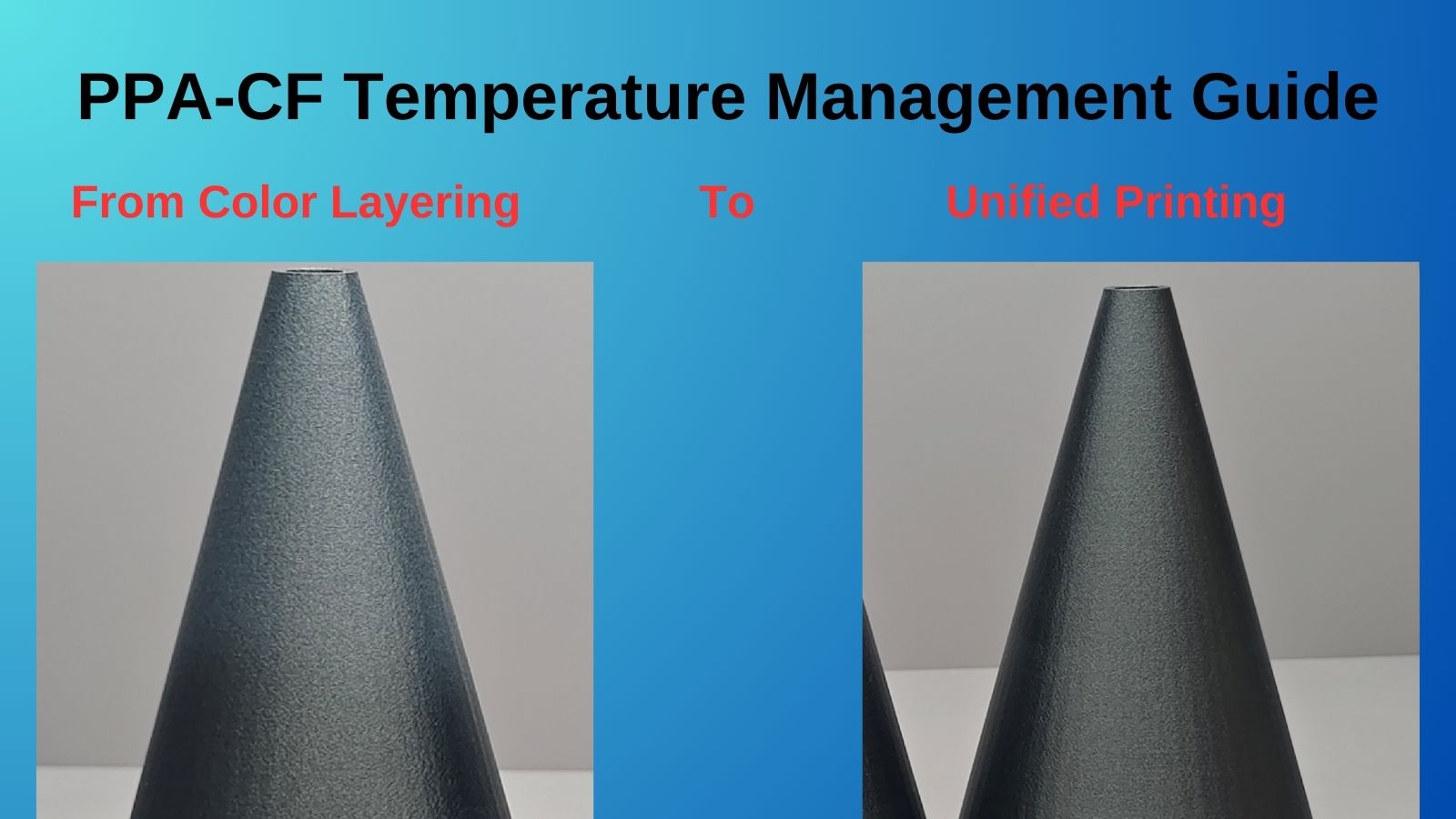
When printing with PAHT-CF, also known as PPA-CF filament, you may notice unexpected color variations across a single print, even when using a single spool. While this effect can look visually interesting, it is usually a sign of inconsistent temperature control during printing.
Understanding why this happens and how to correct it can help you achieve both better surface finish and more reliable part performance.
Understanding the Problem
In the example prints, three identical cone models were produced using the same PAHT-CF filament. The only variable between them was the cooling fan configuration.

The print made with the cooling fan turned completely off shows a noticeably different surface color compared to the others. This demonstrates how sensitive PAHT-CF materials are to thermal conditions during layer deposition.
Carbon fiber reinforced polymers such as PAHT-CF respond strongly to changes in cooling behavior, which directly affects how light reflects off the printed surface.

Siraya 3D Filaments and Resin You May Shop
Explore More
The Root Cause of Color Variations
Color inconsistency in PAHT-CF prints is primarily caused by uneven cooling between layers.
When layer times are too short, the material does not have enough time to cool and stabilize before the next layer is deposited. This leads to inconsistent crystallization within the polymer matrix.
As crystallization rates vary, so does the surface texture and color, even though the filament itself remains the same.
This behavior is common in high temperature engineering filaments, including premium options such as PAHT-CF formulations offered by manufacturers like Siraya, which are designed for strength but still require precise thermal control.
The Solution: Strategic Cooling Fan Control
Careful fan speed management is the most effective way to eliminate these color differences.
During testing on a Bambu Lab X1C, a dual-threshold cooling strategy produced the most consistent results.
Recommended fan settings
- Minimum fan speed of 10 percent when layer time is 10 seconds or longer
- Maximum fan speed of 25 percent when layer time drops to 7 seconds
 This controlled increase in airflow ensured consistent cooling without compromising layer adhesion. The result was a uniform surface appearance marked as “GOOD” across the test prints.
Implementation Tips for Consistent Results
- Set a minimum cooling fan speed of 10 percent for longer layer times
- Gradually increase fan speed up to 25 percent for short layers or small features
- Closely monitor the first few layers to ensure strong bed adhesion
- Keep cooling settings consistent across similar geometries and print batches
These principles apply broadly to carbon fiber reinforced nylons, including PAHT-CF filaments from trusted material suppliers such as Siraya, whose engineering filaments are commonly used for functional and industrial parts.
Conclusion
Color variation in PAHT-CF prints is not a filament defect but a temperature management challenge.
By fine tuning cooling fan behavior based on layer time, you can stabilize crystallization, improve surface consistency, and maintain the mechanical advantages that make PAHT-CF such a valuable material.
Whether you are printing structural components, jigs, or high performance prototypes, consistent cooling is key.
Pairing proper slicer settings with high quality materials, including well engineered PAHT-CF filaments and complementary resins like Siraya Tenacious or castable resin for hybrid workflows, can significantly improve overall print reliability and finish.
Frequently Asked Questions
How to make 3D prints with different colors?
Multi color prints can be achieved using multi material printers, filament swaps, or post processing techniques like painting. Some materials also change appearance based on cooling and layer orientation. Controlled temperature variation can create subtle visual effects.
What is PAHT-CF filament good for?
PAHT-CF is ideal for high strength, heat resistant, and wear resistant parts. It is commonly used for tooling, fixtures, brackets, and functional mechanical components. The carbon fiber reinforcement improves stiffness and dimensional stability.
What is the 45 degree rule in 3D printing?
The 45 degree rule suggests that overhangs steeper than 45 degrees can usually be printed without supports. Angles beyond this may sag or fail due to gravity. This rule helps optimize part orientation and surface quality.
Do I need to anneal PAHT-CF?
Annealing PAHT-CF is not always required but can improve heat resistance and dimensional stability. It is more beneficial for parts exposed to high temperatures or mechanical stress. Proper cooling during printing can reduce the need for post processing.