
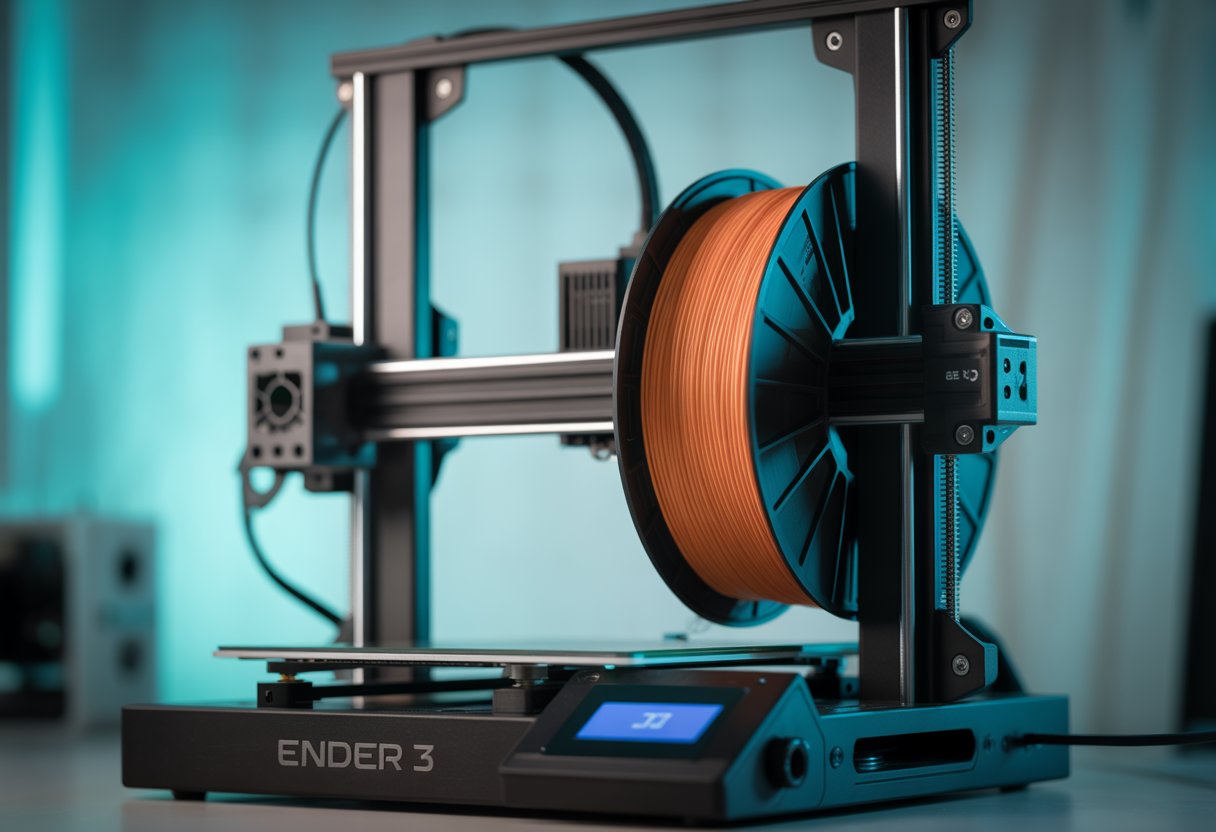
Ender 3 Filament Guide helps you get clean prints from your Creality Ender 3 without guesswork. You want smooth feeding, steady temps, and fewer failed prints.
You can print PLA, PETG, TPU, and ABS on an Ender 3 when you use the right heat, speed, and a simple filament guide. PLA works best out of the box, while other filaments need small tweaks to stay smooth and strong.
This guide shows what works, what to avoid, and how to fix common issues fast. Read on to dial in your setup and enjoy better prints.
Key Takeaways
- The Ender 3 supports common filament types with proper settings
- Small setting changes improve print quality
- Simple upgrades reduce feeding and print problems
Looking for filament specifically tested and optimized for Creality printers? Also browse Siraya Tech's Elegoo-compatible filament collection for materials engineered to deliver consistent results on your Ender 3 with minimal tuning required.
Ender 3 Filament Compatibility

Your Ender 3 can print many common filament types if you use the right settings. Some materials work well out of the box, while others need upgrades or careful tuning. Model differences in the Ender 3 series also affect what you can print.
Supported Filament Types
PLA is the easiest choice for any Creality Ender 3. It prints at low heat, sticks well, and works without a heated bed. You can use polylactic acid for most daily prints, models, and learning projects.
PETG also works well on the Ender 3. It needs more heat than PLA and likes a heated bed. PETG prints strong parts but can string if settings are off.
TPU (thermoplastic polyurethane) prints flexible parts like phone cases. You can use it on stock machines, but slow speeds help. A direct drive upgrade makes TPU easier.
|
Filament |
Ease of Use |
Notes |
|
PLA |
Very easy |
Best for beginners |
|
PETG |
Medium |
Needs tuning |
|
TPU |
Medium |
Print slow |
Incompatible and Challenging Materials

Siraya Tech Fibreheart ABS-GF Filament
ABS (acrylonitrile butadiene styrene) can print on the Ender 3, but it often warps. You need a hot bed, steady room heat, and often an enclosure. Without these, prints may fail.

Fibreheart Rebound PEBA 95A Black Elastic filament
Nylon is hard to print on a stock Ender 3. It needs high heat, dry filament, and strong bed adhesion. Most users need upgrades before trying it.
HIPS and PVA (polyvinyl alcohol) also cause trouble. PVA absorbs water fast and clogs easily. HIPS needs high heat like ABS. These filament types suit dual-extruder setups more than single-nozzle Ender 3 printers.
Ender 3 Series Differences
The Ender 3, Ender 3 Pro, and Ender 3 V2 share similar filament compatibility. All handle PLA, PETG, and TPU with the right settings.
The Ender 3 Pro has a stronger frame and better bed, which helps with PETG and TPU. The Ender 3 V2 adds quieter motors and better controls, making tuning easier.
None of the Ender 3 series ships ready for nylon or heavy ABS use. You can still print them, but upgrades like all-metal hotends, enclosures, and better beds make a big difference.
Choosing between PETG and PLA depends on your project's strength requirements and environmental conditions. Make an informed material decision by exploring our detailed comparison, PETG vs PLA: Which Filament Is Best for 3D Printing?
Optimizing Filament Settings
Good prints come from clear print parameters. You control heat, motion, and airflow to match each filament. Small changes to nozzle temperature, bed temperature, and speed can fix most problems fast.
Extrusion and Bed Temperatures
Set the nozzle temperature first. It controls how well the plastic melts and flows. For PLA, start at 200°C. For PETG, try 230°C. For ABS, use 240°C.
Keep the bed temperature steady to help first layer adhesion. PLA likes 60°C. PETG works at 70–80°C. ABS needs 90–100°C on a heated bed.
Use this quick guide:
|
Filament |
Nozzle Temp |
Bed Temp |
|
PLA |
190–210°C |
50–60°C |
|
PETG |
220–240°C |
70–80°C |
|
ABS |
230–250°C |
90–100°C |
If layers look rough, raise extrusion temperature by 5°C. If strings appear, lower it a bit.
Retraction Distance and Speed
Retraction pulls filament back to reduce stringing. On an Ender 3 with a Bowden tube, start with a retraction distance of 5–6 mm.
Set retraction speed to 40–50 mm/s. Too slow causes strings. Too fast can grind filament.
Watch corners and gaps. Fine strings mean you need more distance. Gaps after travel mean too much. PETG often needs less retraction than PLA.
Both Cura and Creality Print label these clearly. Change one value at a time. Run a small test print to check results before long jobs.
Print Speed and Layer Height
Print speed affects detail and strength. Start at 50 mm/s for most filaments. Slow to 40 mm/s for PETG. Go faster only after good results.
Layer height sets detail. A 0.2mm layer works well for daily prints. Use 0.28mm for fast parts. Use 0.12–0.16mm for fine detail.
Keep speed and layer height balanced. Thick layers need slower speed to bond well. Thin layers can print faster but need steady cooling.
Change these settings in your slicer. Cura shows speed by feature, which helps fine tuning.
Cooling and Adhesion Parameters
The cooling fan controls how fast layers harden. PLA needs strong cooling, often 100% after the first few layers. PETG prefers 30–50%. ABS usually runs with the fan off.
Good cooling keeps edges sharp. Too much can cause weak layers. Always lower fan speed on the first layer to protect build plate grip.
Improve adhesion with these tips:
- Clean the build plate
- Slow first layer speed to 20 mm/s
- Increase first layer height slightly
Use a brim for ABS or tall prints. These small steps save failed prints.
The Ender 3 supports many materials beyond PLA when properly configured. Discover the full spectrum of filament options and their requirements in our comprehensive overview, 3D Filament Types: Complete Guide for Every 3D Project.
Filament Guide Installation & Setup
A good filament guide helps your Ender 3 feed filament smoothly. You need the right guide, a clean install, and smart spool placement to avoid jams and wear.
Choosing the Right Filament Guide
Pick a filament guide that fits your Ender 3 frame and spool holder. Most guides mount near the top rail and line up with the extruder.
Look for smooth paths and rounded edges. Sharp turns add drag and hurt filament feeding.
Common options
|
Type |
Best for |
Notes |
|
Printed plastic |
PLA, PETG |
Cheap and easy to replace |
|
Roller guide |
Low friction |
|
|
PTFE-lined |
All filaments |
Uses PTFE tubing for smooth feed |
If you use Capricorn PTFE, choose a guide sized for its outer diameter. A loose fit lets the tube move. A tight fit can crack prints.
Installing a Filament Guide
Power off your printer before you start. Remove the top-mounted spool holder if the guide replaces it.
Slide or screw the filament guide into place. Many designs use T-nuts and M5 bolts. Keep bolts snug, not tight.
Feed the PTFE tube through the guide if it supports tubing. Cut the PTFE tube square. Push it in until it stops. Gaps cause clogs.
Check alignment by pulling filament by hand. It should move with little effort. If it rubs the frame, shift the guide slightly.
Filament Feeding and Spool Positioning
Place the spool so it unrolls from the bottom toward the guide. This reduces twists and sudden pulls.
Keep the spool holder level. A tilted holder adds drag and uneven feeding.
Quick checks
- Filament moves freely when you pull it
- PTFE tubing stays straight, not bent
- No clicking from the extruder
For heavy spools, use a holder with bearings. This helps steady filament feeding over long prints.
Clean dust from filament often. Dirt builds friction inside the PTFE tube and guide.
Learn everything about this essential material in our complete guide, What Is PETG Filament: A Guide in 3D Printing Applications.
Filament-Specific Best Practices
Each filament type needs its own heat, speed, and handling. Small setting changes can fix most print problems and help your Ender 3 run smooth.
PLA and PLA+
PLA, or polylactic acid, is great for everyday prints. It prints easily and sticks well to the bed. Start with a nozzle temp of 190–210°C and a bed temp of 50–60°C.
Use a moderate print speed of 50–60 mm/s for most PLA. Set part cooling to 100% after the first few layers for clean edges and bridges.
PLA+ prints like PLA but needs a bit more heat. Raise the nozzle temp by 5–10°C. Keep PLA dry. Moist filament can cause rough layers.
Quick tips
- Use a clean nozzle
- Level the bed often
- Avoid high heat to stop stringing
ABS & ABS Filament

Fibreheart ABS HT HF - High Temp, High Flow Filament
ABS filament needs more care. It likes heat and dislikes cold air. Set the nozzle to 230–250°C and the bed to 90–110°C.
Use an enclosure or block drafts. Cold air can cause cracks and warped corners. Turn part cooling off or very low. ABS sticks better to PEI or a glue-coated bed.
Print slower than PLA, around 40–50 mm/s. ABS smells strong, so use good room airflow. Avoid printing ABS in a small closed room.
Key settings
- High bed heat
- No fan cooling
- Slow, steady speed
PETG & PETG Filament

Fibreheart™ PETG-CF Pro Filament
PETG filament is between PLA and ABS. It prints strong parts with less warp than ABS. Set the nozzle to 225–245°C and the bed to 70–85°C.
Use light cooling at 30–50%. Too much fan can weaken layer bonding. PETG sticks very well, so use a thin glue layer to protect the bed.
Slow retraction helps prevent clogs. PETG can string, so lower speed and adjust retraction as needed.
Good habits
- Clean the bed first
- Use glue as a release layer
- Avoid fast travel moves
TPU and Flexible Filaments

TPU is a flexible filament. It bends and stretches, so print slowly. Set the nozzle to 210–230°C and the bed to 40–60°C.
Print at 20–30 mm/s. Lower retraction or turn it off. Too much pull can jam the extruder. Direct drive works best, but Bowden setups can work if handled carefully.
Keep the filament path tight and smooth. Dry TPU before use for clean layers.
TPU basics
- Very slow speed
- Low or no retraction
- Short, guided filament path
Upgrades and Maintenance Tips
Smart upgrades and basic care help your Ender 3 handle more filaments and print with fewer issues. Focus on the nozzle, hot end, and clean filament paths to keep prints steady and clean.
Nozzle and Hot End Upgrades
The brass nozzle works well for PLA and PETG. It heats fast and is inexpensive. It wears down quickly with abrasive filaments like carbon fiber or glow-in-the-dark.
For tough filaments, use a hardened steel or stainless nozzle. These last longer and keep the nozzle size stable. A worn nozzle causes rough lines and poor detail.
An all-metal hot end is better for high heat filaments like nylon and polycarbonate. It also reduces the risk of heat creep.
After any upgrade, run a full calibration. Set nozzle temperature, flow rate, and retraction again to avoid clogs.
Filament Guide Cleaning
Dust and debris can ride along the filament and enter the extruder, causing jams and uneven flow. Clean the filament path often.
Wipe the filament with a dry cloth before loading. A small foam filter clipped to the filament can trap dust before it reaches the extruder.
Check printed filament guides and rollers. Remove plastic shavings and dust. Make sure the filament moves smoothly with no sharp bends.
Look at the Bowden tube ends. Cut them square if they look crushed or burnt. A clean path keeps pressure steady during prints.
Replacing Components
Some parts wear out with time and heat. Replacing them early prevents print failures.
Common parts to check:
- Nozzles: replace after heavy use or size change
- Bowden tube: swap if it looks dark or loose
- Extruder gear: replace if teeth look worn
When you replace parts, redo bed leveling and extrusion calibration. Small changes affect flow and layer height.
Keep spare parts on hand to reduce downtime and keep your Ender 3 ready to print.
Troubleshooting Print Quality Issues
Print quality problems on the Ender 3 often come from filament settings and setup. Small changes to heat, speed, and bed setup can improve results and reduce failed prints.
Stringing and Retraction Fixes
Stringing appears as thin hairs between parts of your print. It usually means the filament is too hot or the retraction setting is off. Lower nozzle temperature in 5°C steps. PLA often prints clean between 190–210°C.
Check retraction. On a stock Ender 3 with a Bowden tube, use these as a base:
- Retraction distance: 5–6 mm
- Retraction speed: 40–45 mm/s
If stringing continues, slow down travel speed or dry your filament. Wet filament can cause bubbles and extra ooze.
Warping and Bed Adhesion Problems
Warping happens when the print cools unevenly and pulls up from the bed. Good adhesion stops this early. Make sure your bed is level and clean before every print. Wipe it with isopropyl alcohol to remove oils.
Set the bed temperature to match your filament:
|
Filament |
Bed Temp |
|
PLA |
50–60°C |
|
ABS |
90–100°C |
Slow your first layer speed and increase first layer height slightly. You can also add a brim for more grip.
General Tips for Better Results
Consistent settings help you get steady print quality. Use a 0.2 mm layer height for most prints. It balances detail and speed. Keep print speed moderate, around 50 mm/s, to avoid skipped steps and rough walls.
Check filament path and extruder tension often. Store filament in a dry box to prevent moisture issues. Change one setting at a time. This makes it easier to see what works and improves results.
Wrap Up
The Ender 3 handles most common filaments when you match settings to material. PLA offers the easiest starting point, while PETG, TPU, and ABS expand your capabilities with proper tuning and occasional upgrades.
Consistent filament quality matters as much as perfect settings. Poor diameter control, moisture absorption, and contamination cause issues no slicer adjustment can fix.
Siraya Tech offers premium filament engineered for reliability across all materials. Their PLA, PETG, TPU, and specialty filaments feature tight diameter tolerances, low moisture content, and excellent layer adhesion. Each spool is tested for consistent flow and strength on Bowden systems like the Ender 3.
When you pair proper settings with Siraya Tech filament, you get cleaner prints with fewer headaches and wasted material.
Frequently Asked Questions
What's the ideal temperature setting for PLA on an Ender 3?
Set the nozzle to 190–210°C for most PLA. Start at 200°C and adjust if you see stringing or weak layers. Set the bed to 50–60°C. This helps prints stick without warping.
How do you avoid filament jamming on an Ender 3?
Keep the filament path smooth and clean. Make sure the spool spins freely and the filament does not rub the frame. Clean or replace clogged nozzles. Dry your filament if it pops or crackles while printing.
Can you use flexible filament with the Ender 3, and how?
You can print TPU, but go slow. Use speeds around 20–30 mm/s and lower retraction. Loosen the extruder tension a bit. A direct drive upgrade makes this easier, but it is not required.
What mods can help improve filament feeding in an Ender 3?
A simple filament guide reduces sharp bends. This helps prevent grinding and skips.
A metal extruder and Capricorn PTFE tube improve grip and heat control. Many users also add a direct drive for flexible filaments.
How often should I replace the nozzle for optimal filament extrusion?
Replace a brass nozzle every 3–6 months with regular use. Do it sooner if prints lose detail or clog often. Abrasive filaments wear nozzles fast. Swap the nozzle after a few spools of those materials.
Is there a difference in print quality between various filament brands?
Yes, brands differ in diameter control and material quality. Better brands keep closer to 1.75 mm and feed more evenly. Moisture affects print quality. Even good filament prints poorly if it absorbs water. Keep spools dry.