
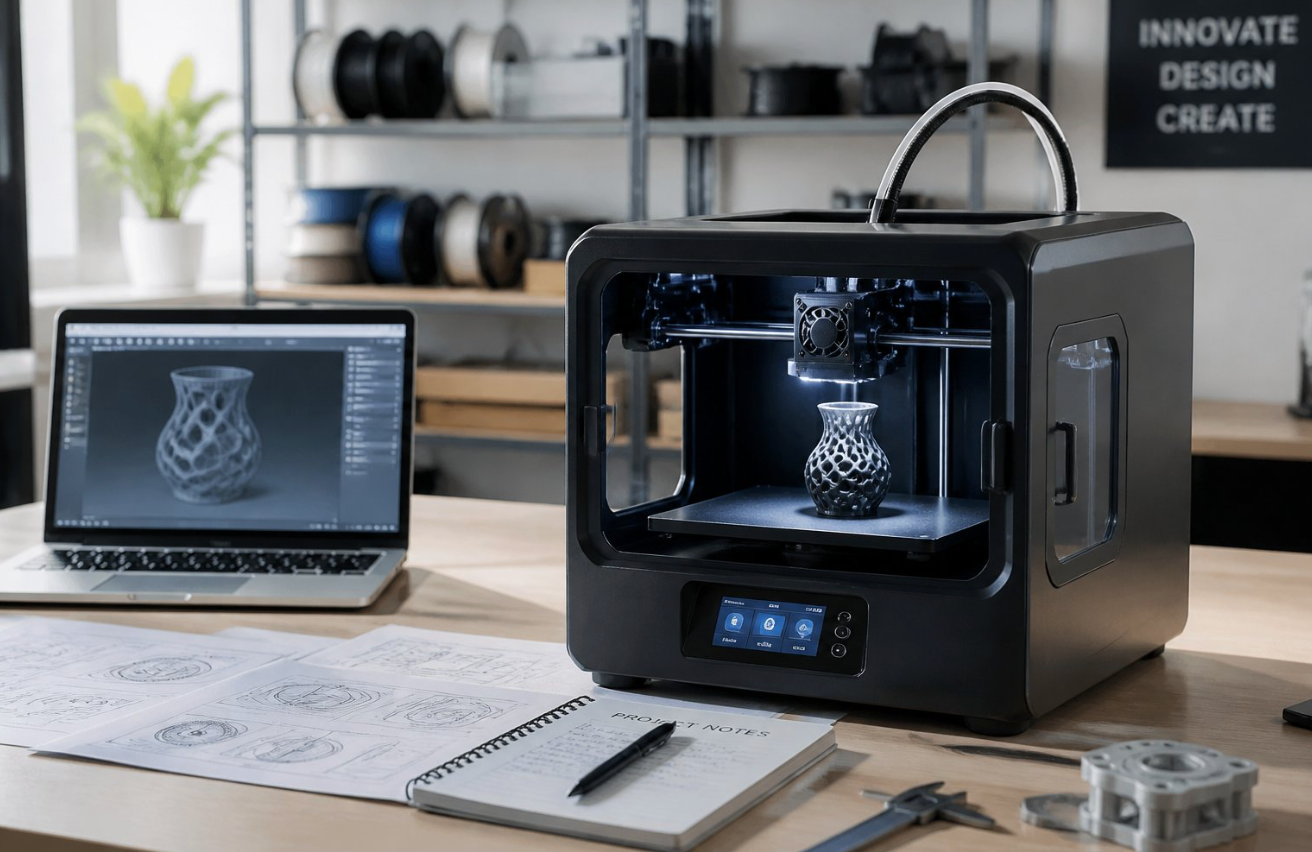
Whether you make prototypes, short-run products, or replacement parts, your printer choice shapes your margins and lead times.
Choose a 3D printer that matches your production volume, material needs, and budget. Prioritize reliability, service, and total cost of ownership over flashy specs.
This guide shows what matters most, which features drive success, and the models that actually perform in small business settings.
- Match the machine to the job: Pick build volume, speed, and material range based on real production needs, not marketing specs.
- Reliability beats peak speed: Stable firmware, automatic bed leveling, and proven extruders cut downtime more than headline numbers.
- Material range matters: A 320°C-capable hotend and heated chamber unlock engineering filaments like PA-CF, ASA, and PPA.
- Automate to scale: Cloud monitoring, failure detection, and resume-after-power-loss let you run unattended jobs and farms.
- Plan total cost of ownership: Filament, electricity, nozzles, and failed prints often outweigh the upfront printer price.
Critical Criteria for Selecting a 3D Printer for Business
You need a machine that gives high-quality parts, prints fast enough for your workflow, handles the materials you need, and has the build volume to match your production goals.
Focus on measurable specs and real-world features that reduce downtime and scrap.
Print Quality and Reliability
Print quality depends on layer resolution, stable motion, and consistent extrusion. Look for specs like minimum layer height (0.05–0.1 mm) and a rigid frame that reduces wobble.
Vibration compensation, quality linear guides, and proper belt tension affect surface finish and dimensional accuracy.
Reliability comes from good firmware and proven electronics. Features like automatic bed leveling and full-auto calibration cut setup time and reduce failed first layers.
Check if the printer supports firmware you trust (like Klipper or well-maintained native firmware) and if manufacturers provide firmware updates.
Extruder design matters. A direct drive extruder gives better control for flexible filaments and fine retractions.
For high-temperature engineering materials, ensure a 320°C-capable hotend and good thermal management. Ask for print samples and long-term test reports when possible.
Print Speed and Motion Systems
Print speed affects throughput and cost-per-part. CoreXY motion systems provide fast, lightweight gantries and high-speed performance with less moving mass.
If you need fast prototyping or short-run production, a CoreXY machine with a stiff frame often gives better results than heavy Cartesian setups.
Pay attention to acceleration and jerk settings supported by the firmware. High acceleration reduces print time but increases demands on stepper drivers and frame rigidity.
Motion components like quality stepper drivers, linear rails, and vibration compensation help maintain quality at speed.
Check the slicer profile support and whether the printer’s firmware (including Klipper compatibility) allows pressure advance or input shaping. These features let you keep speed without losing detail.
Evaluate real-world prints at your target speeds, not just max-rated numbers.
Material Compatibility and Heated Chambers
Material needs drive printer choice. For PLA and PETG, a heated bed with 70–110°C control is enough.
For engineering plastics (Nylon, PC, ULTEM), you need a heated chamber and active chamber heating to prevent warping and delamination.
Confirm the hotend temperature rating—320°C support typically covers most engineering filaments. Check the extruder type: direct drive eases flexible filaments, while a high-quality Bowden can work for rigid materials at higher speeds.
Material compatibility also depends on build surface, filament path, and enclosure sealing. Look for machines with sealed chambers, controlled airflow, and the ability to upgrade to an HEPA filter if you print abrasive or high-temp filaments.
Verify manufacturer guidance on abrasive filaments and whether hardened steel nozzles are standard or optional.
Build Volume and Production Capacity
Match build volume to your part sizes and batch strategy. Large build volume printers let you print multiple parts in one run, cutting cycle time and post-processing.
Larger beds require stronger frames and precise thermal control to keep uniform results across the plate.
Consider modular or multi-part setups: a printer with swappable beds or dual-extrusion can increase production capacity without a single massive machine.
Evaluate bed leveling over the full surface—automatic bed leveling must cover the full build volume reliably to avoid corner lifts.
Factor in per-print cycle time, expected print yield, and maintenance windows. For production, plan downtime for nozzle swaps, calibration, and firmware updates.
Look for features that reduce manual work—auto-calibration, easy-access maintenance points, and remote monitoring and job queuing.
Essential Features for Business 3D Printing Success
You need reliable hardware, software, and workflow features that cut downtime and keep costs predictable.
Focus on remote control, material handling, repeatable batch runs, and smooth post-processing.
Remote Monitoring and Automation
Choose printers with cloud connectivity and built-in cameras so you can check jobs from anywhere. Look for models with camera monitoring or dual AI cameras to spot layer shifts or nozzle clogs early.
Remote monitoring paired with remote control lets you pause, cancel, or restart prints from your phone or PC.
Automation matters: automatic calibration, resume printing after power loss, and failure detection reduce scrap. Plug-and-play setup and tight integration with slicer software (like Bambu Studio) speed deployment.
Prioritize systems that log print history and alert you on failures so you can respond before a full batch is lost.
Multi-Material Capabilities
You need flexibility to print with PLA, PETG, Nylon, and specialty filaments without constant manual switching.
Systems with modular feeders or accessory modules (AMS-style feeders) let you load multiple spools for color or material swaps.
Choose printers that support multi-material printing with reliable filament path designs to limit jams.
Pay attention to nozzle options and spare parts. Replacement nozzles and heated build plates with dual-sided PEI help you move between abrasive and fine-detail work.
Software controls that manage tool changes and purge routines are crucial to avoid contamination between materials.
Batch Production and Print Farms
For small-batch runs, standardize on printers that offer fast warm-up, stable bed leveling, and consistent first layers.
Use print farm strategies: identical printer configurations, the same slicer profiles, and central job queueing. This lets you scale output predictably and swap failed units without re-tuning profiles.
Look for printers designed for unattended operation with resume printing and robust failure detection. Farm management software and cloud connectivity let you distribute jobs and monitor status across many machines.
Plan spare parts inventory—nozzles, belts, and fans—to reduce idle time during production spikes.
Post-Processing and Workflow Integration
Your final product quality depends on predictable post-processing steps. Choose printers whose beds and part geometries work with your finishing methods, whether sanding, vapor smoothing, or chemical bonding.
Features like removable beds, dual-sided PEI sheets, and consistent part adhesion speed up demolding and reduce damage.
Integrate printers with downstream tools and software. Exportable job logs from slicer software and cloud platforms help track batches, QA data, and material usage.
Consider automated post-processing hardware where possible and define a clear parts flow: print → cure/clean → inspect → finish. This reduces handling errors and shortens lead times.
Recommended 3D Printer Models for Business Use
You need printers that match your parts, volume, and materials. Below are specific models and types that work well for prototyping, small-batch production, and accurate parts.
Versatile FDM Printers
FDM works well for strong, functional parts and low-cost running. Choose machines with reliable filament feeding, heated beds, and good community support.
- Bambu Lab P2S and A1: Fast printing, good multi-material options, and strong automation features. Use these for quick prototyping and small production runs.
- Prusa Core One: Known for reliability and consistent part quality. Good when you need repeatable prints and strong support for open-source slicers.
- Creality K1C and Anycubic Kobra S1 Combo: Budget-friendly choices for larger builds. Expect more tuning but low capital cost.
- FlashForge Adventurer 5M / AD5X / AD5M Pro: Easy setup and enclosed build chambers. Good for mixed offices where fumes or noise matter.
Check nozzle sizes (0.4 mm is standard), part cooling, and build volume before buying. Prioritize printers with removable beds and good bed adhesion options to speed part removal.
Professional Resin Printers
Resin gives high detail and smooth surfaces for jewelry, dental, and precision prototypes. You need strong post-processing workflows and ventilation.
- Elegoo Saturn 4 Ultra / Saturn 4 Ultra 16K: Large build plate and high resolution. Use when fine surface detail and larger resin parts matter.
- Elegoo Centauri Carbon: Offers high throughput for batch parts with tight detail control.
- Qidi Q2 and Q1 Pro: Reliable workplace printers with simpler post-processing choices and stable z-axis mechanics.
- Built-in light sources and replaceable vats: The best resin printers come with these. Choose models with a proven resin ecosystem.
Plan for UV curing, wash stations, and resin safety gear. Resin prints require consistent cleaning and curing to reach rated mechanical properties.
High-Speed CoreXY Systems
CoreXY designs deliver better speed and accuracy for production workflows. Use these when you need fast turnaround and low per-part time.
- Bambu Lab models (P2S family) implement CoreXY approaches with advanced motion systems to boost throughput.
- Prusa Core One also targets faster print cycles with reliable motion control.
- High-speed machines require stiffer frames, quality belts, and tuned acceleration settings to avoid ringing.
- Look for printers with adjustable jerk/accel, stable bed leveling, and optional multi-tool heads.
Faster prints can reduce per-part cost but increase maintenance. Keep spare belts, bearings, and nozzles on hand to avoid downtime.
Best Options for Small Businesses
Small businesses need low cost, ease of use, and the ability to scale to a print farm. Choose printers that balance reliability with simple maintenance.
- Bambu Lab A1 and P2S: Great for mixed-use shops that need automation and high uptime.
- FlashForge Adventurer 5M Pro and AD5M: Plug-and-play focus with enclosed builds and fewer tuning steps.
- Creality and Anycubic budget models: Good for expanding a farm quickly if you accept more hands-on tuning.
- Qidi Q2 and Prusa Core One: Offer smoother workflows when you need predictable results and good support.
Prefer models with cloud or network printing, standard spare parts, and active user communities. Buy one unit and test workflows before buying multiple machines.
Cost, Support, and Scaling Considerations
You need predictable costs, reliable support, and clear steps to grow from a single machine to a multi-printer operation.
Focus on long-term expenses, parts and service access, and software or hardware choices that ease scaling.
Total Cost of Ownership
Calculate total cost of ownership (TCO) beyond the printer price. Include material costs for PLA, ABS, ASA, and specialty filaments like PA-CF (carbon-fiber nylon), plus electricity and wear items.
Factor in print failures and post-processing time for functional prototypes and parts. Estimate hourly costs: filament used per part, machine depreciation, and operator time.
Add air filtration system costs if you print ABS or ASA indoors. Don’t forget shipping, taxes, and extended warranties.
Compare machines by throughput (parts per day) and uptime, not just headline speed. Features like input shaping and pressure advance can cut failed prints and lower TCO by improving first-pass yield.
Maintenance and Replacement Parts
Plan for scheduled maintenance and quick access to spares. Keep common parts on hand: nozzles, PTFE liners, belts, bearings, and build plates.
For high-temp or PA-CF work, change nozzles more often and track wear on hardened components. Check vendor support: same-day response, local service partners, and warranty terms matter.
Open source ecosystems like Prusa often let you source parts from third parties or print replacements yourself, saving downtime.
Record maintenance logs and mean time between failures to budget spares. Also verify consumable availability for older models before you buy. Long lead times raise risk.
Scaling to Print Farms
Design your workflow for repeatability and remote control. Standardize machines, print settings, and materials (e.g., a primary PLA line and a PA-CF/ASA parts line) to streamline inventory and quality control.
Use Wi‑Fi connectivity and a print farm manager to queue jobs and monitor failures. Automate simple tasks: bed leveling, filament sensors, and scheduled maintenance reduce operator load.
Plan for ventilation and an air filtration system to handle multiple ABS or ASA printers. Test input shaping and pressure advance settings per model to boost throughput and reduce rejects.
Start with 3–5 units to work out logistics before expanding to dozens.
Carbon-fiber and glass-fiber filaments wear standard brass nozzles fast. Budget hardened steel nozzles, dryers, and ventilation upgrades before you commit to large engineering production runs.
Open Source and Software Ecosystems
Choose software that matches your business needs. Open source stacks give you control and low licensing costs.
The Prusa ecosystem combines hardware, firmware, and slicer tools that ease setup and offer community support. This helps when you want to tune input shaping or pressure advance.
Closed platforms can offer integrated support and guaranteed updates, but add license costs. Verify slicer compatibility with PA-CF and other specialty filaments.
Check remote monitoring, print queuing, and analytics features for scaling. Keep firmware and slicer settings under version control so you can replicate tuned profiles across machines.
Final Thoughts
The best 3D printer for your business is the one that fits your parts, materials, and volume—not the one with the loudest spec sheet. Reliability, service access, and total cost of ownership decide whether a machine pays off.
Start with one unit, lock down your workflow, and only scale once your profiles, materials, and post-processing pipeline are dialed in. Standardize early so growth doesn’t become chaos.
Browse Siraya Tech’s filament for prototyping to find materials that match your printer and production needs.
Related Reading on Siraya
- 3D Printer at Work
- 3D Printing vs Traditional Manufacturing
- 3D Printing for Prototyping
- Resin vs Filament 3D Printer
- Best Filament 3D Printer for Beginners
Frequently Asked Questions
Which 3D printer offers the most reliable uptime and consistent print quality for daily production?
Look for printers with a proven service record, metal frames, and sensors for bed leveling and filament runout. Models built for continuous use include higher-end desktop machines from Prusa and Bambu Lab, plus small industrial units with enclosed chambers and replaceable hotends. Check uptime metrics like mean time between failures and vendor support response. Choose vendors with local parts availability and active user communities to reduce downtime.
What features should a small company prioritize for rapid prototyping and short-run parts?
Prioritize print speed, repeatability, and easy part removal. A fast, reliable motion system, consistent bed adhesion, and good slicer profiles matter most for rapid iteration. Also value material range and quick tool changes. Heated build plates, multi-material support, and a simple workflow from CAD to print save you time.
How do total ownership costs compare across popular 3D printer brands?
Compare initial price, filament/resin cost, replacement parts, and expected service intervals. Consumer-focused brands often have lower upfront costs but higher labor and downtime risk in heavy use. Commercial or prosumer brands cost more up front but include longer warranties and easier parts access. Estimate annual costs by adding material use, spare parts (nozzles, belts, bearings), and expected technician hours. Factor in lost production from downtime to get a realistic per-part cost.
Which 3D printing technology is best for functional end-use components: FDM, resin, or SLS?
Pick the technology that matches part needs. Use FDM for durable thermoplastic parts, large sizes, and low material cost. Choose resin (SLA/DLP) for fine detail and smooth surfaces in small parts. Use SLS for strong, isotropic end-use components and complex geometries without supports.
How do Prusa and Bambu Lab printers compare for speed, accuracy, and workflow in a professional setting?
Prusa printers focus on reliability, community support, and serviceable design. You get consistent accuracy and easy maintenance, which helps in predictable production schedules. Bambu Lab models prioritize high speed and automated features like filament management and AI-assisted print profiles. They often deliver faster throughput but require careful tuning for long-term maintenance in heavy use.
What setup and safety requirements are needed for operating a 3D printer in an office or workshop?
Provide ventilation for fumes, especially with resin and ABS printing. Install local exhaust or operate in a well-ventilated room to keep air safe. Use fire-safe surfaces and keep flammable materials away from hotends and chambers. Train staff on handling resins and post-processing. Ensure routine maintenance is performed and keep PPE like gloves and safety glasses available.